


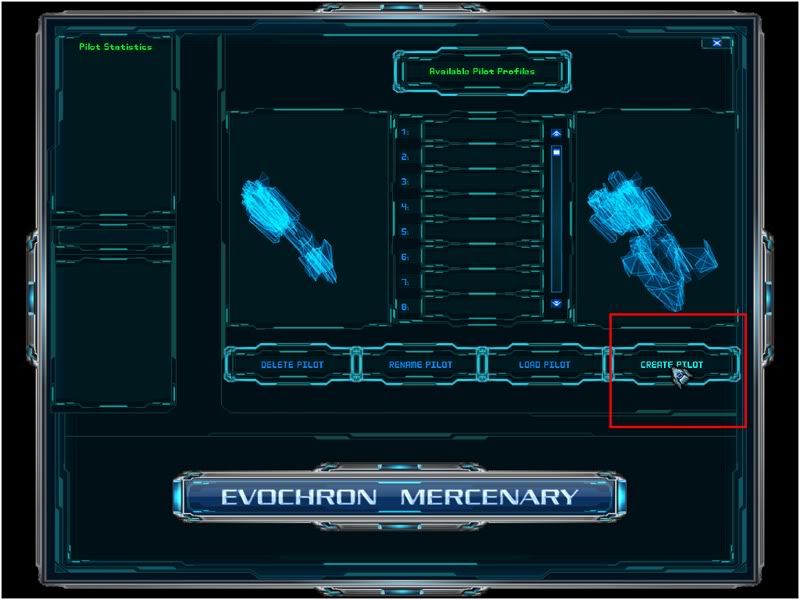
1. Launch the game and, at the “Available Pilot Profile� menu, select the “Create Pilot� option:
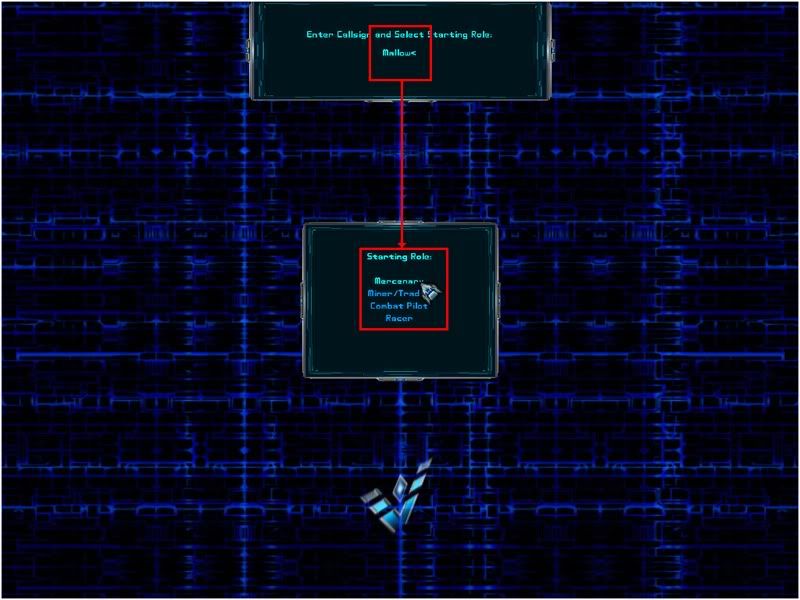
2. Enter a Callsign (name) and then select any option except “Combat Pilot.� You will only be offered the Quest when piloting a civilian ship:
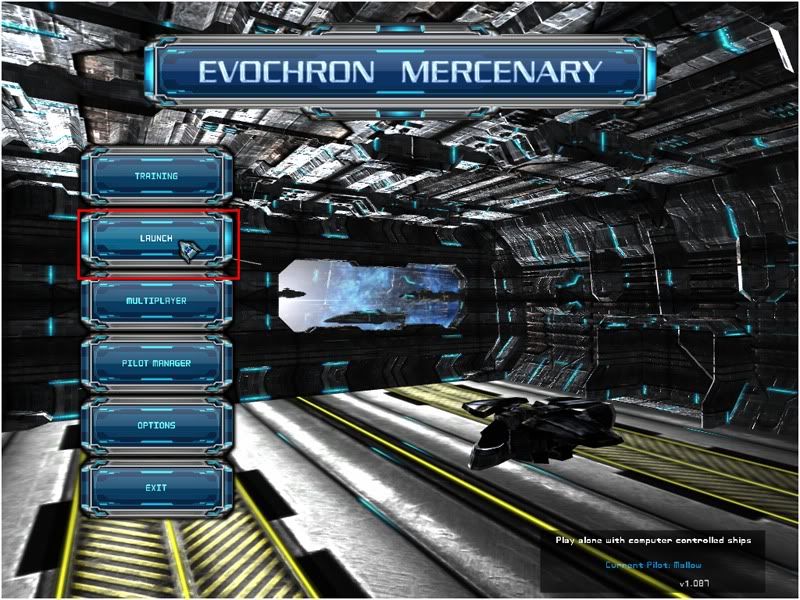
3. Launch the game:
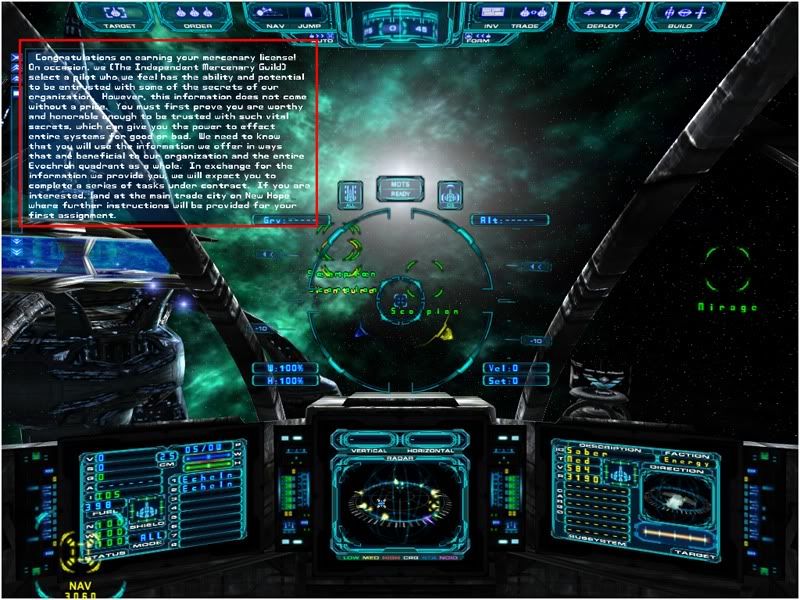
4. Carefully read the message displayed in the chat box:
5. Zoom out on the navigation map to find the planet called New Hope. You can use the "Text On" option (button near the bottom, right) ... click on it and it will become a “Highlight� button, then cycle through the options in the next button down to select "Planets" ... thereby turning off any label that isn’t a planet:
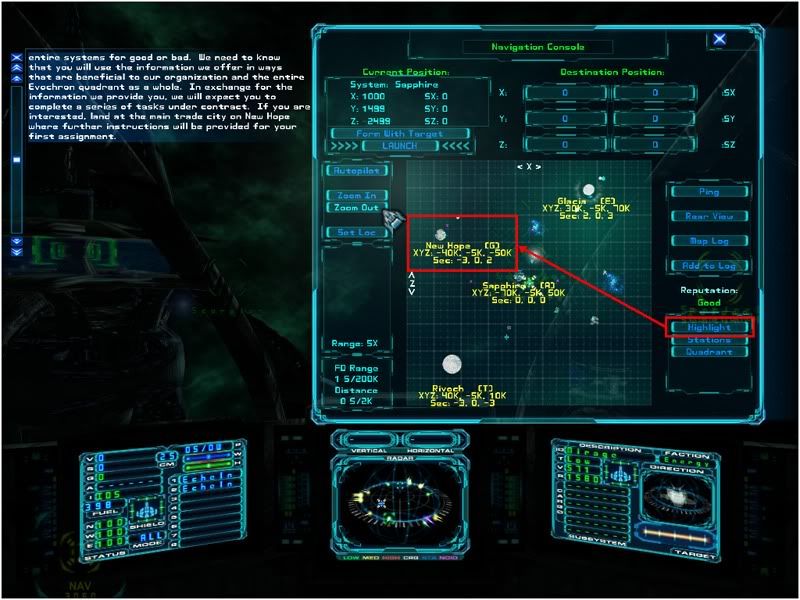
6. Left click to set a waypoint near the planet (but not too near, else you'll destroy yourself upon impact with the planet's surface ... or burn up in the atmosphere). Then press the (default) "Alt+F" key to engage autopilot, hyper-jumping* to your waypoint:
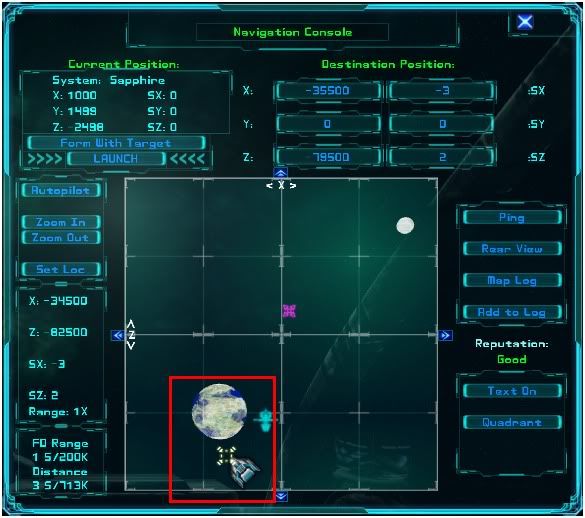
7. Find the main city (a bracketed plus sign) and set a waypoint to it. Then click on the “Rear View� button (near the middle, right side) to switch map views:
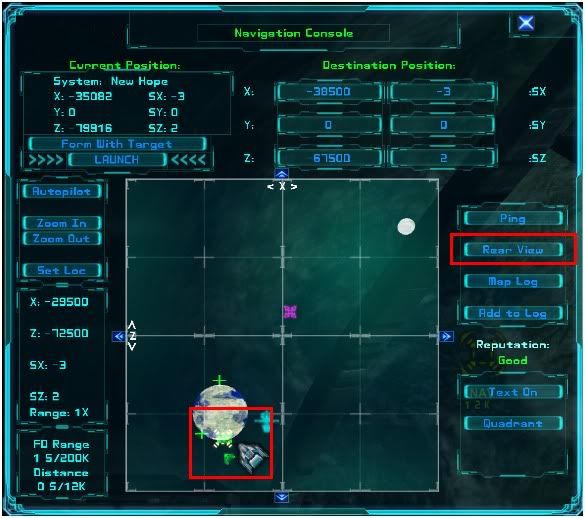
8. Adjust your waypoint in the vertical (up and down):
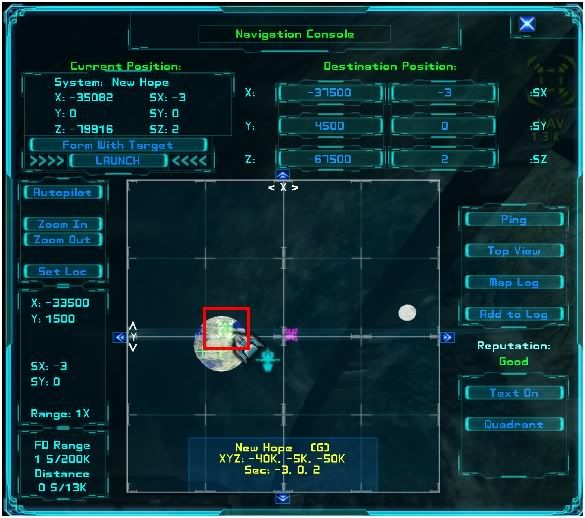
9. At full normal speed, head for the waypoint. (Warning! Do not attempt to hyper-jump!) When you start getting green guide boxes, adjust your flight path toward the center of the boxes:
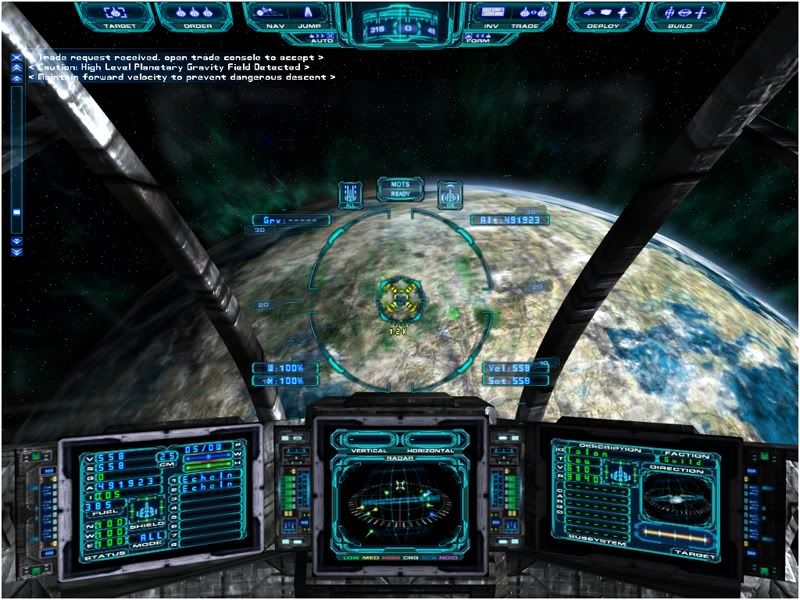
10. The guide boxes will direct you toward the city station. Continue inbound until the docking tractor beam engages and you're safely docked:
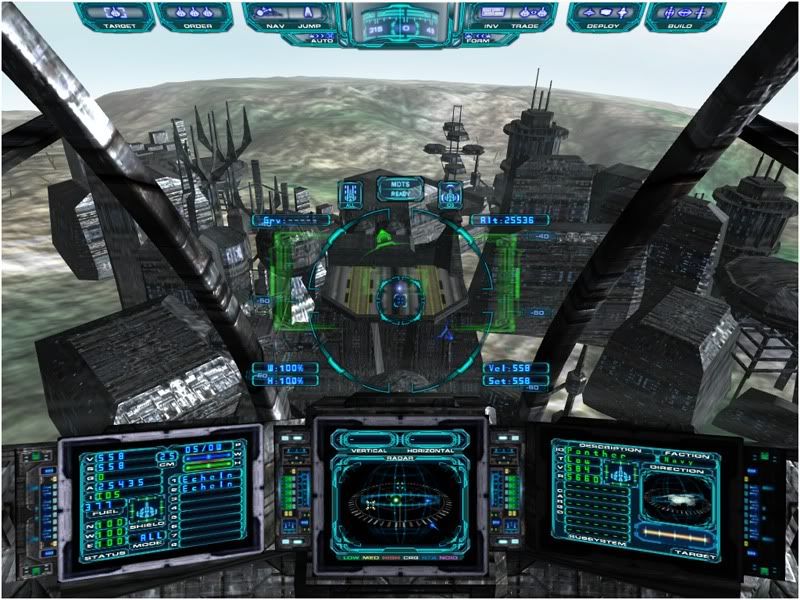
11. Read the new message displayed in the chat box:
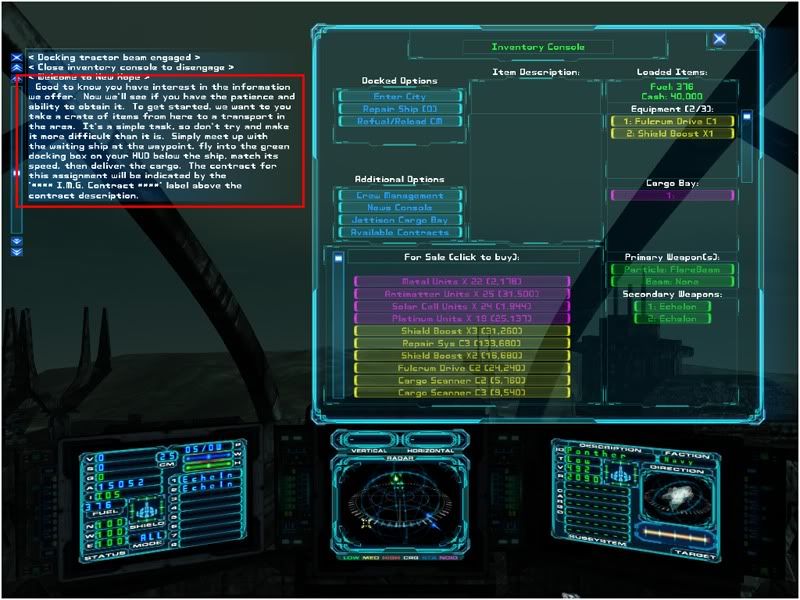
12. Select the “Available Contracts� option:
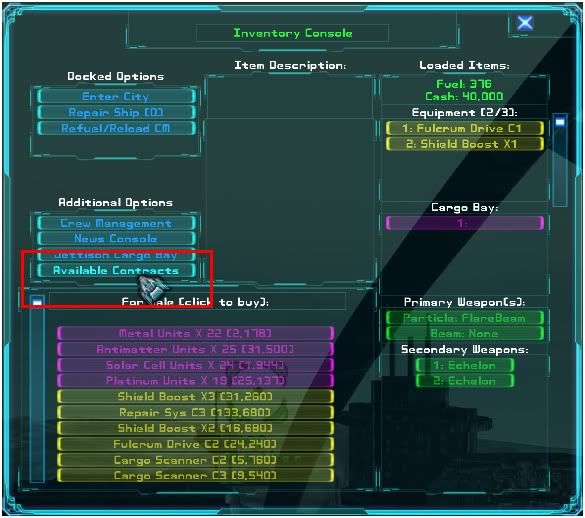
13. Find and accept the one contract with “I.M.G.� in its title:
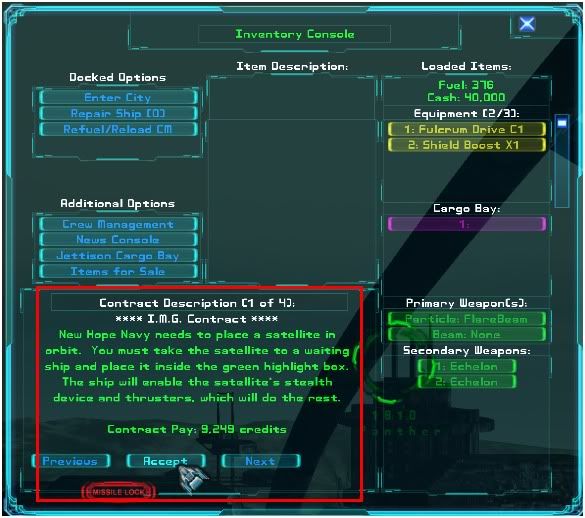
 If you have problems completing the first contract ... stand by for the future release of a Mercenary Pilot’s Dash-1 Checklist.
* Edit 1: A Class 1 Fulcrum drive cannot make the trip to New Hope in a single jump. In fact, sometimes a Class 1 drive has trouble jumping to a computed waypoint. If you find your autopilot going nowhere, disengage and manually jump one sector at a time, via the (default) "F2" key, until you reach your destination.
Edit 2: Made correction to step 5 (nice catch, Eclipse).
[Edited on 1-20-2011 by Marvin]







 Also, the Dash-1 would be targeted toward default keystrokes as illustrated on the keyboard printout found in the main game folder.