On a side note... after last session my program crashed due to my stupidity ... so I have to relog the planets Marv show me (easy enough)... the container...the star..... and START USING THAT SAVE FUNCTION!
Atollski's Nav Tool...
-
DennyMala
- Captain

- Posts: 1256
- Joined: Tue Mar 10, 2009 8:22 am
- Location: Italy
The "Save" option isn't working for me.
That map feature seems very interesting for those as visuals as me.
On a side note... after last session my program crashed due to my stupidity ... so I have to relog the planets Marv show me (easy enough)... the container...the star..... and START USING THAT SAVE FUNCTION!
Best regards
[IM] DennyMala
[IM] DennyMala
-
Marvin
- Global Moderator

- Posts: 14373
- Joined: Wed Mar 04, 2009 5:47 am
- Location: Fallon-Reno
The "Save" option isn't working for me.
-
DennyMala
- Captain

- Posts: 1256
- Joined: Tue Mar 10, 2009 8:22 am
- Location: Italy
The "Save" option isn't working for me.
Well... I still fail to see our objective... but I'll do.
Best regards
[IM] DennyMala
[IM] DennyMala
-
Marvin
- Global Moderator

- Posts: 14373
- Joined: Wed Mar 04, 2009 5:47 am
- Location: Fallon-Reno
The "Save" option isn't working for me.
After doing a trilateration, I found a new star system and added the coordinates to my in-game Nav Log. I then ticked the "Import Nav" box and the planet names and coordinates loaded to the Tracker program, as expected. I then used the "Save" option and got the following pop-up:

This is the same pop-up I got when attempting to set up a map.png file inside the "hud" folder. Both times, I opted to Continue.
I closed the program and opened it again, to check that all had gone well. Except it hadn't. All the trilateration coordinates had been deleted ... along with all the new planets. Luckily, I'd never ticked the "Update Nav" box ... so the planet coordinates were still available in the in-game Nav Log. Ticking the "Import Nav" box again re-loaded the planets.
Then I immediately updated and closed the program. Closing, prior to using the "Save" option, seems to have kept the "Save" option from deleting the new entries.
I noticed a few other things, too:

This is the same pop-up I got when attempting to set up a map.png file inside the "hud" folder. Both times, I opted to Continue.
I closed the program and opened it again, to check that all had gone well. Except it hadn't. All the trilateration coordinates had been deleted ... along with all the new planets. Luckily, I'd never ticked the "Update Nav" box ... so the planet coordinates were still available in the in-game Nav Log. Ticking the "Import Nav" box again re-loaded the planets.
Then I immediately updated and closed the program. Closing, prior to using the "Save" option, seems to have kept the "Save" option from deleting the new entries.
I noticed a few other things, too:
- The entries I'd made in the Dynamic Map windows had been deleted.
- I found a copy of the "navdata" text file in the "hud" folder. I found a second copy in the main game folder (where it had been located previously). Both files indicated today's date as the last day modified.
- I also found a copy of the "map log" configuration file in the same two places and, again, both were modified today.
- The map.png file was untouched ... not surprising since the windows for the Dynamic Map were empty.
-
Atollski
- Lieutenant

- Posts: 153
- Joined: Sun Sep 26, 2010 2:17 pm
- Location: Weymouth, UK
The "Save" option isn't working for me.
Check the folder the program is sitting in - did it create a Map Log Errors.txt file? If so, can you send it to me or post the contents?
-
Marvin
- Global Moderator

- Posts: 14373
- Joined: Wed Mar 04, 2009 5:47 am
- Location: Fallon-Reno
The "Save" option isn't working for me.
No Map Log error file ... not in the main game folder or in the hud folder. Not anywhere. My guess is the program doesn't see an error ... maybe it's under the mistaken belief it should be writing to the hud folder instead of to the main folder. Otherwise, why would I have two files in both the hud folder and the main folder which, in the older version, only showed up in the main folder?
The Save function appears to be writing to the hud folder. But, when I exit the program, it seems to write to the main folder. And when I start the program up again, it seems to be getting its data from the main folder ... which might be why anything written to the hud folder never shows up again in the program listing.
Except ... why doesn't the program, after writing to the hud folder upon a Save, then write to the main folder upon an exit?
The Save function appears to be writing to the hud folder. But, when I exit the program, it seems to write to the main folder. And when I start the program up again, it seems to be getting its data from the main folder ... which might be why anything written to the hud folder never shows up again in the program listing.
Except ... why doesn't the program, after writing to the hud folder upon a Save, then write to the main folder upon an exit?
-
Atollski
- Lieutenant

- Posts: 153
- Joined: Sun Sep 26, 2010 2:17 pm
- Location: Weymouth, UK
The "Save" option isn't working for me.
That GDI error looks like it's graphics related - I reckon it's to do with the filenames specified for the input and output files not being saved properly by the options screen. You clicked OK instead of Cancel when using the Settings screen right?
Try double checking the input file exists and the folder for the output file exists. The program will not create new folders for you so you will need to create them manually. Restart the program then check the settings again to make sure the configuration have been applied.
I'll put an exception handler around the save function to catch any errors generated by the save function and work out some way of notifying you of the error without being too intrusive. Can you upload your map log.cfg file so I check it over?
Have a look through the cfg file as well to see if the settings you set up have been applied properly. If the graphics files are not set up right, it would throw the GDI exception when trying to open the input file.
Try double checking the input file exists and the folder for the output file exists. The program will not create new folders for you so you will need to create them manually. Restart the program then check the settings again to make sure the configuration have been applied.
I'll put an exception handler around the save function to catch any errors generated by the save function and work out some way of notifying you of the error without being too intrusive. Can you upload your map log.cfg file so I check it over?
Have a look through the cfg file as well to see if the settings you set up have been applied properly. If the graphics files are not set up right, it would throw the GDI exception when trying to open the input file.
-
Marvin
- Global Moderator

- Posts: 14373
- Joined: Wed Mar 04, 2009 5:47 am
- Location: Fallon-Reno
The "Save" option isn't working for me.
Edit: Okay, this is beyond strange.
I had a backup folder on the desktop titled "Atollski Tracker Map." Inside the folder was a backup "hud" folder ... originally with nothing in it except a test version of my map.png file ... intended to be the target for your mapping option.
Today, out of curiosity, I checked this backup folder. Inside the "hud" folder I found:
- logdata.txt containing the data from my latest exploration. I checked the main game folder (where I usually find this file) and it wasn't there.
- Map Log Errors.txt ... which is the file you asked for earlier and I couldn't find. The following is an excerpt from that file (the whole file is similar):
[2/9/2011 10:00:41 AM] Error loading log data from C:\\\\sw3dg\\\\EvochronMercenary\\\\savedata.txt
[2/9/2011 10:03:41 AM] Error loading log data from C:\\\\sw3dg\\\\EvochronMercenary\\\\savedata.txt
[2/9/2011 10:13:49 AM] Error loading log data from C:\\\\sw3dg\\\\EvochronMercenary\\\\savedata.txt
[2/9/2011 10:19:31 AM] Error loading log data from C:\\\\sw3dg\\\\EvochronMercenary\\\\savedata.txt
[2/9/2011 10:25:30 AM] Error loading log data from C:\\\\sw3dg\\\\EvochronMercenary\\\\savedata.txt
[2/9/2011 10:32:27 AM] Error loading log data from C:\\\\sw3dg\\\\EvochronMercenary\\\\savedata.txt - navdata.txt containing the original version of how I saved the new entries (plus all the old entries). I checked this version against the version in the main game directory and they're similar. The difference being this file is the one I thought had been deleted and, so, I did as described in an earlier post and then exited the program.
- map.png with no changes to it. None at all.
- map log.cfg containing the data you might find most helpful. This is the file:
[Files]
Game Output File=C:\\sw3dg\\EvochronMercenary\\savedata.txt
Map Log File=C:\\sw3dg\\EvochronMercenary\\maplog2.sw
Dynamic Map Input File=C:\\Documents and Settings\\Patrick\\Desktop\\Atollski Tracker Map\\hud\\map.PNG
Dynamic Map Output File=c:\\sw3dg\\EvochronMercenary\\
[Settings]
Output Interval=5000
URL=
Port=80
[Save Data Format]
[/Save Data Format] - Trilateration.csv containing the computations from my latest exploration and discovery. Like the logdata file, this one was not duplicated in the main game folder.
[Edited on 2-10-2011 by Marvin]
-
Atollski
- Lieutenant

- Posts: 153
- Joined: Sun Sep 26, 2010 2:17 pm
- Location: Weymouth, UK
The "Save" option isn't working for me.
Right oh, I can see the graphics problem straight away - your output file is just the c:\\sw3dg\\EvochronMercenary folder.
I'm assuming the game is installed to that folder, so to get the graphics to work, change the entry to:
c:\\sw3dg\\EvochronMercenary\\hud\\map.png
Ensure you create a \\hud folder if it doesn't exist already.
Your existing map.png file is being used as the input file. The program will take this image, overlay the systems and jump routes on top of it then output it to the file in the \\hud folder. It won't modify the input file.
Those errors being output are actually OK - it's just that the program wants to read data from the game log file and occasionally, Evochron is still using it so my program goes "OK, sorry! I'll come back in a minute when you're finished..." and complains to the debug file.
I can only assume the files appear in that desktop folder because you have set up a shortcut which links to the program there instead of your current version.
It's a mystery!
I'm assuming the game is installed to that folder, so to get the graphics to work, change the entry to:
c:\\sw3dg\\EvochronMercenary\\hud\\map.png
Ensure you create a \\hud folder if it doesn't exist already.
Your existing map.png file is being used as the input file. The program will take this image, overlay the systems and jump routes on top of it then output it to the file in the \\hud folder. It won't modify the input file.
Those errors being output are actually OK - it's just that the program wants to read data from the game log file and occasionally, Evochron is still using it so my program goes "OK, sorry! I'll come back in a minute when you're finished..." and complains to the debug file.
I can only assume the files appear in that desktop folder because you have set up a shortcut which links to the program there instead of your current version.
It's a mystery!
-
Marvin
- Global Moderator

- Posts: 14373
- Joined: Wed Mar 04, 2009 5:47 am
- Location: Fallon-Reno
The "Save" option isn't working for me.
-
Marvin
- Global Moderator

- Posts: 14373
- Joined: Wed Mar 04, 2009 5:47 am
- Location: Fallon-Reno
The "Save" option isn't working for me.
From post: 102048, Topic: tid=6799, author=Atollski wrote:Your existing map.png file is being used as the input file. The program will take this image, overlay the systems and jump routes on top of it then output it to the file in the \\hud folder. It won't modify the input file.
-
Atollski
- Lieutenant

- Posts: 153
- Joined: Sun Sep 26, 2010 2:17 pm
- Location: Weymouth, UK
The "Save" option isn't working for me.
You don't really want to use the same input/output map file - I create a black square 800x800 pixels, call it background.png then save it in the same directory as the Map Log program, but you can have this anywhere you want really... It should have no map information at all on it because the program will do that bit for you. Once this is done, point the Map Input File at this blank file.
I think the confusion is caused by your input file also being called map.png and being in your desktop folder.
If you find any decent background images to use as map files, let me know! I'm planning on creating controls to change the font and text colour, line colour and weight and system 'dots' so you can overlay the colours and effects you would like on whatever background images you find.
Hope this fixes it for you!
I think the confusion is caused by your input file also being called map.png and being in your desktop folder.
If you find any decent background images to use as map files, let me know! I'm planning on creating controls to change the font and text colour, line colour and weight and system 'dots' so you can overlay the colours and effects you would like on whatever background images you find.
Hope this fixes it for you!
-
Marvin
- Global Moderator

- Posts: 14373
- Joined: Wed Mar 04, 2009 5:47 am
- Location: Fallon-Reno
The "Save" option isn't working for me.
-
Atollski
- Lieutenant

- Posts: 153
- Joined: Sun Sep 26, 2010 2:17 pm
- Location: Weymouth, UK
The "Save" option isn't working for me.
Hi folks, it's time for another update - version 1.0
This one is a net special and is aimed squarely at any web developers out there... in particular, MapMan and Verbosity. Have managed to get a connection to mysql using a php page which processes the savedata.txt output from the game. (Submitting co-ordinates to follow in a later update)
- Repaired massive bug in connection string system
- Changed request type to GET instead of POST
- Created example receiving php code and database
This page processes input data and feeds it into a MySQL database table called logdata:
To configure the Map Log to send data to my test server:
- Open Map Log
- Open the options screen
- Go to the Connection tab
- enter www.atollski.com in the URL box
- ensure port 80 is entered
- paste the following code into the Savedata upload format
- click OK
- While playing Evochron, tick the log check box
- if this is configured right, if you browse to www.atollski.com you should see a scrolling list of your most recent locations (and anybody else who has this running!)
This is only an example and you can transmit any data to your php page. The program will substitute lines from the savedata.txt file into the HTTP string starting with @0
for line 1, @1 for line 2 etc. Obviously, your receiving page will need to understand what you are sending it!
This is my first php program so it probably could be improved massively, but can't wait to see what the pros can come up with!
This one is a net special and is aimed squarely at any web developers out there... in particular, MapMan and Verbosity. Have managed to get a connection to mysql using a php page which processes the savedata.txt output from the game. (Submitting co-ordinates to follow in a later update)
- Repaired massive bug in connection string system
- Changed request type to GET instead of POST
- Created example receiving php code and database
This page processes input data and feeds it into a MySQL database table called logdata:
Code: Select all
<html><head></head>
<body>
<?php
$name = $_GET['name'];
$fuel = $_GET['fuel'];
$cargo1 = $_GET['cargo1'];
$cargo2 = $_GET['cargo2'];
$cargo3 = $_GET['cargo3'];
$cargo4 = $_GET['cargo4'];
$cargo5 = $_GET['cargo5'];
$px = $_GET['px'];
$py = $_GET['py'];
$pz = $_GET['pz'];
$sx = $_GET['sx'];
$sy = $_GET['sy'];
$sz = $_GET['sz'];
// connect to database
$db = $db=mysql_connect('your sql server', 'username', 'password')
or die('Could not connect: ' . mysql_error());
mysql_select_db('database name', $db) or die('Could not select database');
// Performing SQL query
$query = sprintf("INSERT INTO `logdata` ( `name` , `px` , `py` , `pz` , `sx` , `sy` , `sz` ) VALUES ('%s', '%s', '%s', '%s', '%s', '%s', '%s');",
mysql_real_escape_string($name),
mysql_real_escape_string($px),
mysql_real_escape_string($py),
mysql_real_escape_string($pz),
mysql_real_escape_string($sx),
mysql_real_escape_string($sy),
mysql_real_escape_string($sz)
);
$result = mysql_query($query) or die('Query failed: ' . mysql_error());
?>
</body>
</html>- Open Map Log
- Open the options screen
- Go to the Connection tab
- enter www.atollski.com in the URL box
- ensure port 80 is entered
- paste the following code into the Savedata upload format
Code: Select all
GET /submit.php?name=@0&fuel=@1&cash=@2&cargo1=@3&cargo2=@4&cargo3=@5&cargo4=@6&cargo5=@7&px=@8&py=@9&pz=@10&sx=@11&sy=@12&sz=@13 HTTP/1.1
Host: www.atollski.com
User-Agent: MapLog/1.0- While playing Evochron, tick the log check box
- if this is configured right, if you browse to www.atollski.com you should see a scrolling list of your most recent locations (and anybody else who has this running!)
This is only an example and you can transmit any data to your php page. The program will substitute lines from the savedata.txt file into the HTTP string starting with @0
for line 1, @1 for line 2 etc. Obviously, your receiving page will need to understand what you are sending it!
This is my first php program so it probably could be improved massively, but can't wait to see what the pros can come up with!
-
Marvin
- Global Moderator

- Posts: 14373
- Joined: Wed Mar 04, 2009 5:47 am
- Location: Fallon-Reno
The "Save" option isn't working for me.
I went to the webpage ... minus the slash-flightlog.php ... which, as it turned out, was a tab on the www.atollski.com webpage and not a secondary page at all. But, having not read the above post, I had nothing entered in the appropriate windows. Consequently, all I saw was a short list with your name and some data ... which kept trying to update itself.
Btw, your map plotting routine works now. The titles are a little big ... I think ... you be the judge:

It works 'though, so no arguement there.
Btw, your map plotting routine works now. The titles are a little big ... I think ... you be the judge:

-
Atollski
- Lieutenant

- Posts: 153
- Joined: Sun Sep 26, 2010 2:17 pm
- Location: Weymouth, UK
The "Save" option isn't working for me.
If you increase the size of the input image, the text will appear smaller. If you are using a background image, you will need to scale it up in size. Mine is about 800x800 pixels.
I'll still put some font control stuff on there anyway so you have a bit more control how the output looks!
-
Marvin
- Global Moderator

- Posts: 14373
- Joined: Wed Mar 04, 2009 5:47 am
- Location: Fallon-Reno
The "Save" option isn't working for me.
-
Atollski
- Lieutenant

- Posts: 153
- Joined: Sun Sep 26, 2010 2:17 pm
- Location: Weymouth, UK
The "Save" option isn't working for me.
The chat seems to be OK on mine - give a larger image a try and see what happens!
-
Marvin
- Global Moderator

- Posts: 14373
- Joined: Wed Mar 04, 2009 5:47 am
- Location: Fallon-Reno
The "Save" option isn't working for me.
I can't even use warsign's tree mod anymore. And that was one of my favorites. (This originally was a much longer post but my wireless decided to cut out just as I was previewing ... resulting in a total loss of text. And, with it, a total loss of interest in tryring to remember what I'd originally typed.)
-
Marvin
- Global Moderator

- Posts: 14373
- Joined: Wed Mar 04, 2009 5:47 am
- Location: Fallon-Reno
The "Save" option isn't working for me.
The Beta mod seems to be working, Atoll. Thanks. Before you distribute it to the general Mercenary public, you might want to add labels to the three color boxes ... I'm still not certain what the last one does. But I really like that thumbnail map you added ... looks really cool.-
Atollski
- Lieutenant

- Posts: 153
- Joined: Sun Sep 26, 2010 2:17 pm
- Location: Weymouth, UK
The "Save" option isn't working for me.
Yep, that's why it isn't properly released yet - the last colour button is the system 'dot'.
There will be a couple more options - line width and dot size and I think that should more or less cover it! (and they will have labels!)
-
49rTbird
- Captain

- Posts: 2954
- Joined: Sun Oct 28, 2007 10:57 pm
- Location: Pinole,Ca,USA,Earth,Orion Spur,Milkyway, Etc.
The "Save" option isn't working for me.
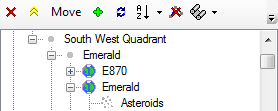
This is the Image I get after downloading Ver 9. Is this correct as the instructions show it diffrent?

I don't see the lead next to the Nav box now? The instructions say the text box (that I don't see) should point to the Map Log File such as "maglog0.sw".
Ok, Marvin helped me find what I was doing wrong and I am on my way to being less lost (lol). Thanks again Marvin!:)
[Edited on 2-28-2011 by thetiebers]

I don't see the lead next to the Nav box now? The instructions say the text box (that I don't see) should point to the Map Log File such as "maglog0.sw".
Ok, Marvin helped me find what I was doing wrong and I am on my way to being less lost (lol). Thanks again Marvin!:)
[Edited on 2-28-2011 by thetiebers]
Explore! Explore! Explore! \"There is no going back (Yet) so Make Today Count!
-
Atollski
- Lieutenant

- Posts: 153
- Joined: Sun Sep 26, 2010 2:17 pm
- Location: Weymouth, UK
The "Save" option isn't working for me.
Yep, sorry the instructions are pretty worthless now (outdated) - most of the settings are now through the options screen, but the general program still works the same...
-
49rTbird
- Captain

- Posts: 2954
- Joined: Sun Oct 28, 2007 10:57 pm
- Location: Pinole,Ca,USA,Earth,Orion Spur,Milkyway, Etc.
The "Save" option isn't working for me.
LOL, it happens. Marvin is trying to help me get my feeble brain to understand the way to find possible planets now. My thick skull take a lot of beating to get info inside!:D:P:DFrom post: 103252, Topic: tid=6799, author=Atollski wrote:Yep, sorry the instructions are pretty worthless now (outdated) - most of the settings are now through the options screen, but the general program still works the same...
Explore! Explore! Explore! \"There is no going back (Yet) so Make Today Count!
-
tn_prvteye
- Ensign

- Posts: 45
- Joined: Thu Nov 19, 2009 3:40 pm
The "Save" option isn't working for me.
I'm having trouble running this, I soon as I click on it, a warning pops up:
Map Log.exe has stopped working.
Here's what the details box has:
Description:
Stopped working
Problem signature:
Problem Event Name: CLR20r3
Problem Signature 01: map log.exe
Problem Signature 02: 0.0.0.0
Problem Signature 03: 4d585607
Problem Signature 04: mscorlib
Problem Signature 05: 2.0.0.0
Problem Signature 06: 4d4cc8cb
Problem Signature 07: 344b
Problem Signature 08: d8
Problem Signature 09: System.IO.FileNotFoundException
OS Version: 6.1.7600.2.0.0.256.4
Locale ID: 1033
Could this be a Win-7 64-bit thing? I've tried running as Admin and in Compatibility mode, but still no go.
Map Log.exe has stopped working.
Here's what the details box has:
Description:
Stopped working
Problem signature:
Problem Event Name: CLR20r3
Problem Signature 01: map log.exe
Problem Signature 02: 0.0.0.0
Problem Signature 03: 4d585607
Problem Signature 04: mscorlib
Problem Signature 05: 2.0.0.0
Problem Signature 06: 4d4cc8cb
Problem Signature 07: 344b
Problem Signature 08: d8
Problem Signature 09: System.IO.FileNotFoundException
OS Version: 6.1.7600.2.0.0.256.4
Locale ID: 1033
Could this be a Win-7 64-bit thing? I've tried running as Admin and in Compatibility mode, but still no go.


