Oblivion HUD for EM 2.X

Custom mods, stories, and artwork based on the Evochron / Arvoch universe.
onehand
Ensign
Ensign
Posts: 30
Joined: Wed Aug 03, 2011 6:31 am

Oblivion HUD for EM 2.X

Post by onehand »

Image


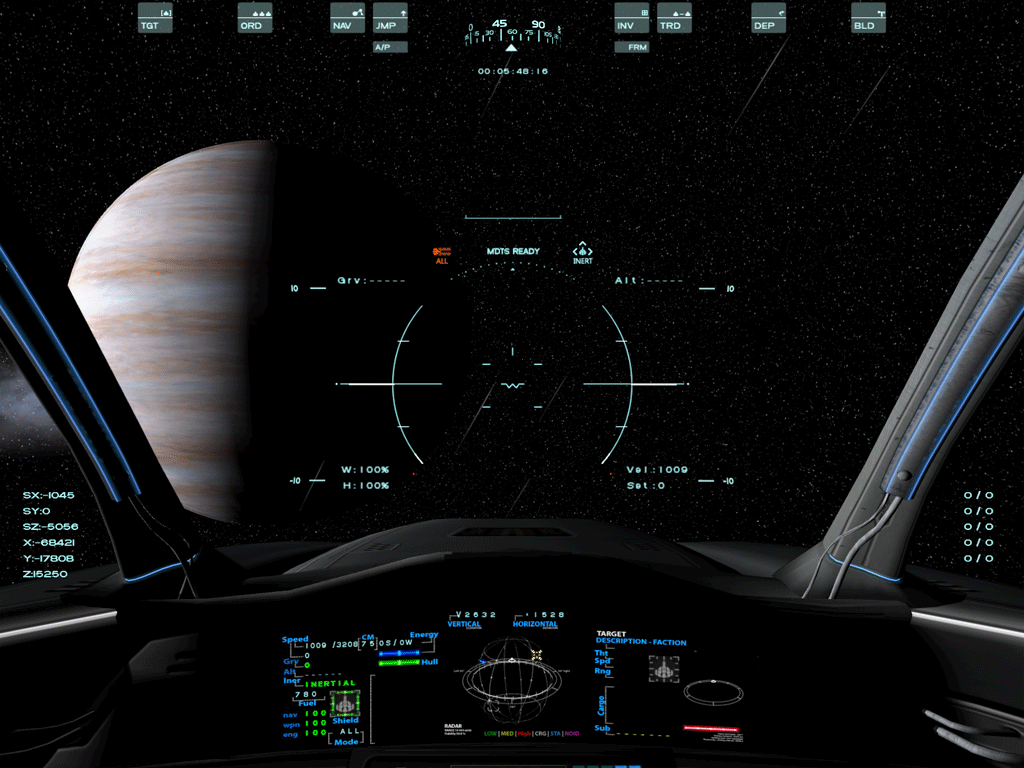
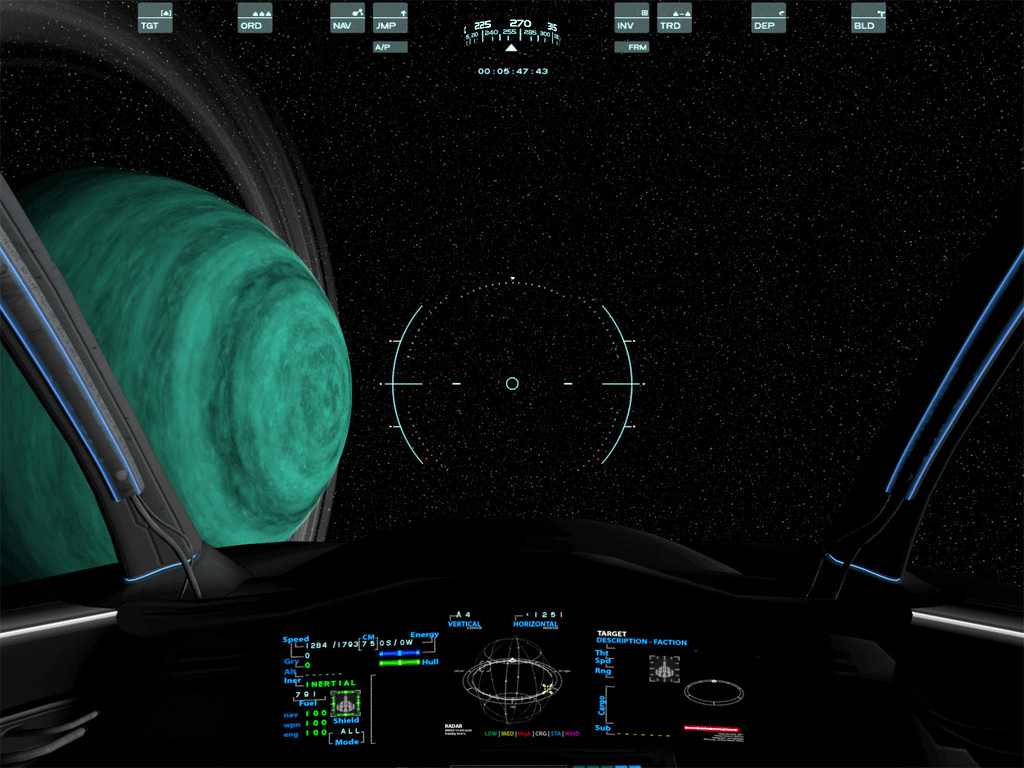
After seeing the great HUD work in the 2013 film Oblivion I was inspired to make a new HUD mod.
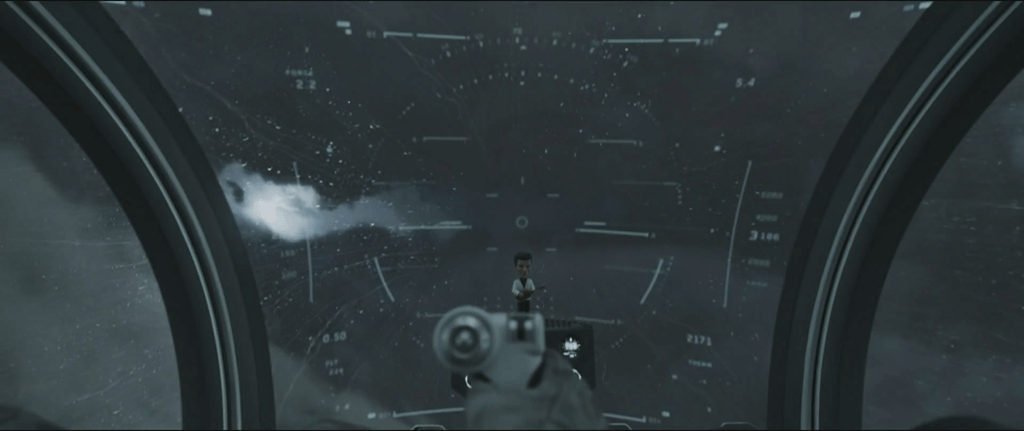
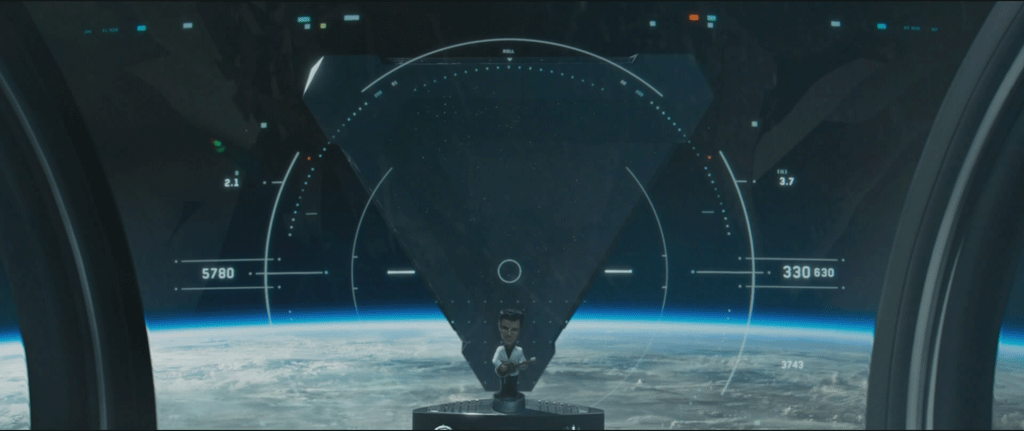
Image

Image


Standard HUD Mode 2:

Image


HUD Mode 1 ("space mode" in the film):
Image


After making this HUD it really dawned on me how much work Vice has truly put into making the graphics for EM. The HUD alone took me ~2 months of tweaking and play testing. I can't imagine how long it must have taken to make the graphics for the full game.

This mod includes a new HUD gunsight, HUD menu icons with rollover, terrain walker HUD, targeting reticles, mouse cursors and the following extras:


Extras Included
- Maximilien's Cockpit (timeless!)
- 8rennus' SilicuMAX Menus (originals by Viper) (They are just too slick!)
- Custom target select/menu click sound


Download Links
>> Oblivion HUD <<
>> Optional hudtape mod with both 5 and 10 degree markers <<


Installation Instructions
- Extract the files from the zip into your main EM_installdir.
- To install the font, drag the included "SF Arborcrest Heavy.ttf" to your Windows/Fonts folder. This font is freeware.
- If you prefer more degree markers on the hudtape, you can overwrite the hudtape files with the second download link above.


Notes
- Landing/docking indicator bars are disabled with this mod. I just use the flashing beacons, but if you prefer the indicators, remove the landgreen.png, landred.png and landshadow.png files.
- The left and right angle brackets for the horizontal strafe text render a bit small with this font. I just use the strafe indicator on the radar, but if you prefer the standard font simply remove the included setfont.txt file.
User avatar
DaveK
Global Moderator
Global Moderator
Posts: 4161
Joined: Mon Apr 19, 2010 9:04 pm
Location: Leeds UK

Oblivion HUD for EM 2.X

Post by DaveK »

They look great! Thanks for sharing them :D

How do you put the ship's location into a HUD?

:)
Callsign: Incoming
Image
Life is like a sewer... what you get out of it depends on what you put into it. - Bob Newhart
Hell is being in a pure platinum asteroid field... with a diamond mining beam
ImageImage
User avatar
_-Caleb-_
Captain
Captain
Posts: 1090
Joined: Sat Jul 14, 2012 8:46 am
Location: Tenerife, Spain

Oblivion HUD for EM 2.X

Post by _-Caleb-_ »

Hola.

Is cool, thanks for share :)

[Edited on 9-25-2013 by AdamSelene]
onehand
Ensign
Ensign
Posts: 30
Joined: Wed Aug 03, 2011 6:31 am

Oblivion HUD for EM 2.X

Post by onehand »

Thanks! For the location information, it's the following lines in hudtext.dat:

ln9: activates (1=on, 0=off)
ln10: x-position
ln11: y-position
User avatar
DaveK
Global Moderator
Global Moderator
Posts: 4161
Joined: Mon Apr 19, 2010 9:04 pm
Location: Leeds UK

Oblivion HUD for EM 2.X

Post by DaveK »

Thanks onehand! Finally I know where I am when flying :P
Callsign: Incoming
Image
Life is like a sewer... what you get out of it depends on what you put into it. - Bob Newhart
Hell is being in a pure platinum asteroid field... with a diamond mining beam
ImageImage
Nigel_Strange
Captain
Captain
Posts: 1254
Joined: Fri Mar 25, 2005 5:51 am

Oblivion HUD for EM 2.X

Post by Nigel_Strange »

Looks great, indeed. I think this is the first HUD I might prefer to my own design. Simplicity, elegance, and minimalism: it gives you the info without the clutter. Nice work!
Busch
Captain
Captain
Posts: 1468
Joined: Tue Jul 20, 2010 1:07 am
Location: Portland, OR. West Coast, USA

Oblivion HUD for EM 2.X

Post by Busch »

Thanks Onehand! Good work! Am employing bits and pieces of your Oblivion mod. I like the 'quarter-moons' of the targeting reticle and the minimalist mode indicators. :cool::cool:
Commander
Image
[SW] Clan Squadron Lead - Retired
Call Sign: Busch
Image
Image
RagingRascal
Ensign
Ensign
Posts: 11
Joined: Wed Sep 18, 2013 10:02 am
Location: Vienna, Austria, Earth, Solar System, Milky Way

Oblivion HUD for EM 2.X

Post by RagingRascal »

the one problem i have with this hud (and otherwise it looks really great) is that it completely disappears in the background when you are in a light area (e.g landing on a ice planet)
Image
onehand
Ensign
Ensign
Posts: 30
Joined: Wed Aug 03, 2011 6:31 am

Oblivion HUD for EM 2.X

Post by onehand »

True, well the main gunsight and hudtape are still visible because they are shaded, but I couldn't work out a decent compromise for the other images (MTDS mode, firing mode, IDS, altitude indicator, etc.) since the main overlay imagery changes depending on the current setting-- the shadows have to be static. Instead of putting dark blocks on the HUD to compensate, I decided to just leave out the shadows to keep it clean. I just use the displays on the cockpit panels when needed in those cases. I then make up a story in my head that the brightness of the planet/star/moon/etc is washing out some of the HUD. Ahhh, it's so bright! :D
Nigel_Strange
Captain
Captain
Posts: 1254
Joined: Fri Mar 25, 2005 5:51 am

Oblivion HUD for EM 2.X

Post by Nigel_Strange »

In the EL, I used an orange color for the HUD. I think that overall, the orange showed up best in most situations. Another option is to spread the shadow a little bit, so that it provides more edge coverage.
onehand
Ensign
Ensign
Posts: 30
Joined: Wed Aug 03, 2011 6:31 am

Oblivion HUD for EM 2.X

Post by onehand »

Thanks Nigel! For this particular HUD I preferred having less shadows but I will keep this in mind! :) By the by, your Hex gunsight is awesome :cool:
49rTbird
Captain
Captain
Posts: 2954
Joined: Sun Oct 28, 2007 10:57 pm
Location: Pinole,Ca,USA,Earth,Orion Spur,Milkyway, Etc.

Oblivion HUD for EM 2.X

Post by 49rTbird »

From post: 164622, Topic: tid=11005, author=RagingRascal wrote:the one problem i have with this hud (and otherwise it looks really great) is that it completely disappears in the background when you are in a light area (e.g landing on a ice planet)
You may be able to turn that Hud into a shadow so that it shows when against a light background. Other items have that. I can't remember if you just create a negative of it and rename it or what. I believe the naming can be found in the Customizing kit.:)
Explore! Explore! Explore! \"There is no going back (Yet) so Make Today Count!
onehand
Ensign
Ensign
Posts: 30
Joined: Wed Aug 03, 2011 6:31 am

Oblivion HUD for EM 2.X

Post by onehand »

It was just pointed out to me that I had MDTS spelled wrong in the mod. :D

The download link has been updated with the fix!