I'm having trouble explaining this in short sentences as especially the UV is a bit of a technical story, but I'll try.
UV mapping:
Technically speaking, the term 'UV mapping' is not entirely correct; the proper term is 'UVW mapping'. Ever wondered how a game knows how exactly it needs to 'wrap' the texture around a ship? Why it isn't orientated upside-down, or backwards? That's what a UVW map does.
A UVW map holds the coordinates of where each point of your textures/maps should be placed onto your model. And the letters 'UVW' mean and do exactly the same as the more familiar 'XYZ', someone at some point just decided to use the 3 next best letters in the alphabet to prevent confusion and probably conflicts in the programs, simply because all 3d modeling programs already use XYZ coordinates for their model orientation.
Imagine you have created a 3d model, and now you want to design and apply a texture to it to make it look good. But how do you place the texture around the model, and how do you know where to put all the detailing? Well, each 3d modeling program has an option that will allow you to 'unwrap' the 3d model into a flat surface. Most of the times this option is simply called 'UVW unwrap' or something similar. What it does is it takes each point (or more precisely, polygons / faces) on the surface of your model, and records it on the flat surface. We call this flat surface the UVW map. You can think of a UVW map as a paper plane that has been unfolded, ready to be colored in. Actually, that is more precise than it sounds lol.
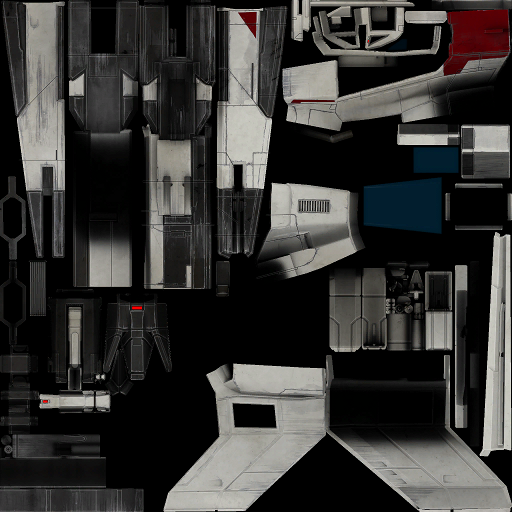
A typical UVW map can look like the one below (I quickly made one for the SX3). Compare it to the SX3 diffuse map to understand how it works:
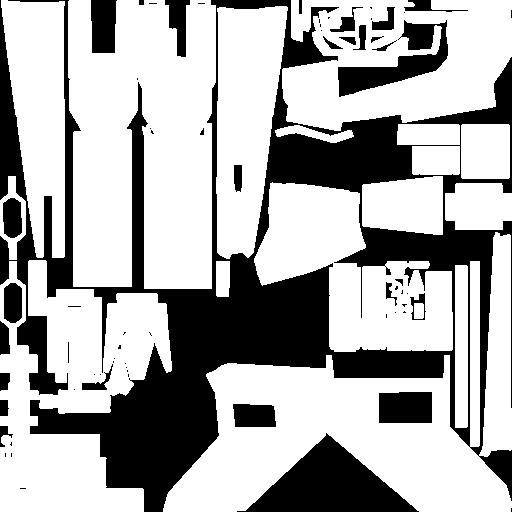
I went for a simple and fairly rough black and white version, but depending on the settings you apply to the UVW map, it can have all the colors you want, whichever makes it easier for the designer to work with. You can also choose to outline the model elements, etc etc.
You can then save this UVW map as an image file, like a .png. This allows you to open it in a graphic program so you can work on it and start designing your basic texture. In the UVW map sub-window of your 3d modeling program, you can see where each element of the UVW map will be placed on the model. If you click it, that section of the model will light up (at least that's how it works in 3dsMax, and I'm sure other programs have similar features). This is very handy as it can be hard to recognize the different elements of the model, which can sometimes be very small.
After you have created your texture, you save it as an image file (the format doesn't matter as much for the 3d program as it does for the game you're planning to introduce it to), you import it into your 3d program and assign the texture to (part of) the model, and the program will use the previously saved UVW coordinates to properly show the texture on the model.
Sorry for the long-winded explanation lol.
Normals:
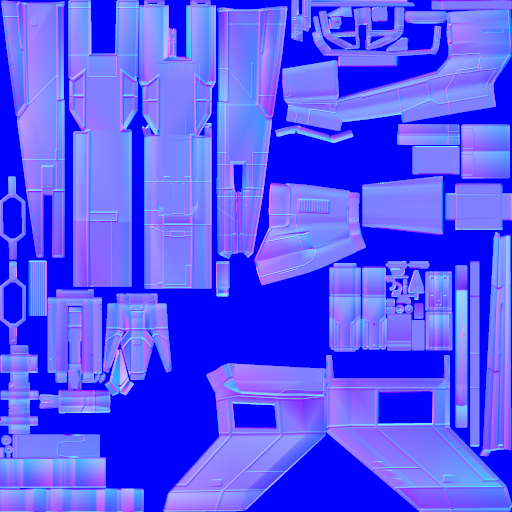
Normals are values that determine how much light is reflected off any particular point (or again more precisely: polygon or face) on the surface of a model, depending on the orientation of that particular point. A normal map takes these values and simply translates them into color gradients from pink to blue, with pink being the most emissive value and blue the least. In-game, you can see the effects of a normalmap by the subtle differences in gloss / shinyness (again trouble finding the right word for it) on the different areas of your ship's surface.
I had a look on the internet to find someone who could explain this better than I just did, and came up with this really good explanation:
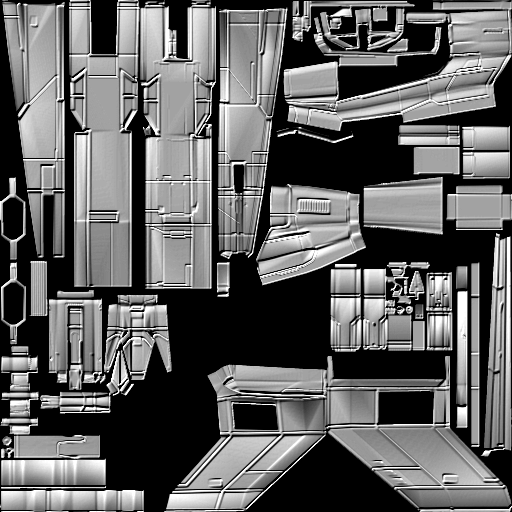
Normals are vectors that 3D software uses to describe the orientation of a polygon in space. Think of them as a little virtual arrow that forms right angles (is "normal") to both diagonals of a flat quadrilateral: there's only one way to do this. One of their major uses is in calculating how light will reflect off the face and thus what the camera will "see." We can play tricks with normals (by using bump maps for example) to create the illusion of surface texture; the geometry doesn't change, just the way we're telling the light to bounce off the surface.
Which basically says it better than I ever could.
Now I need a smoke lol.
[Edited on 12-21-2012 by Viper]


 I'm just passing along information ... hopefully, one of our "ship-cockpit-texture" modders will come along and answer your questions.




 :P:P:P:P:P:P:P WAY